

Fair Chase Pro - Everything in One Place
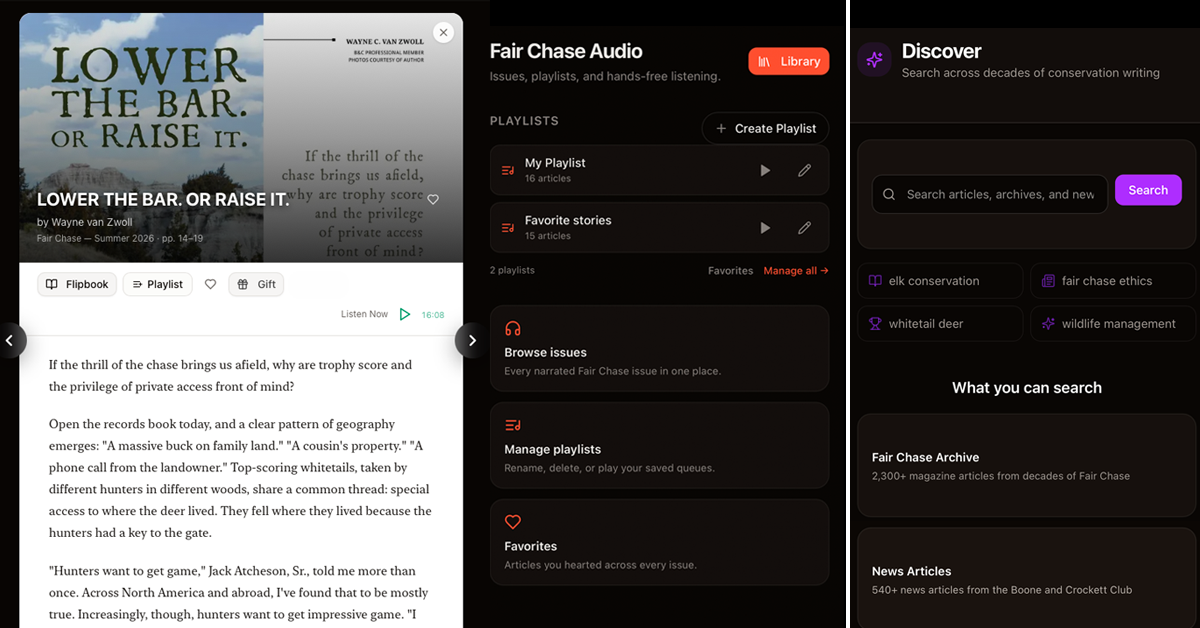
Fair Chase Pro brings together the magazine, records, and decades of conservation knowledge.
Already receive Fair Chase magazine? Log into Fair Chase Pro Here
Signing in uses the same email address and password you use for Boone-Crockett.org. If you're not sure of your login, you can reset your password using the email address associated with your account here. If you are having troubles getting logged in please contact [email protected] or call us at (406) 542-1888 during business hours.
Navigating Fair Chase Pro

Select ‘Start Reading’ from the homepage or any of the category options.
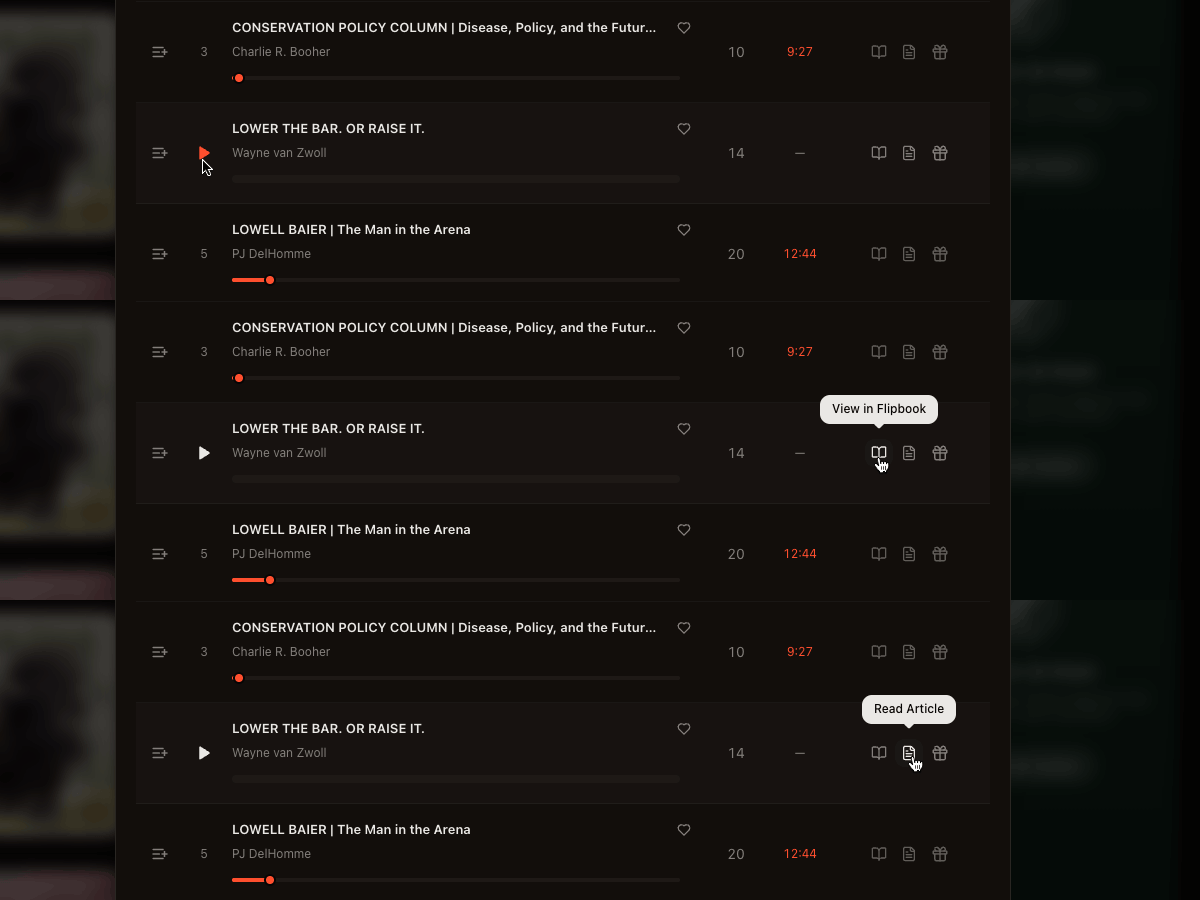
Choose which issue or article you would like to read. There is the option to listen, view as a ‘Flipbook’ that looks like the design of the print magazine, or read the text article.
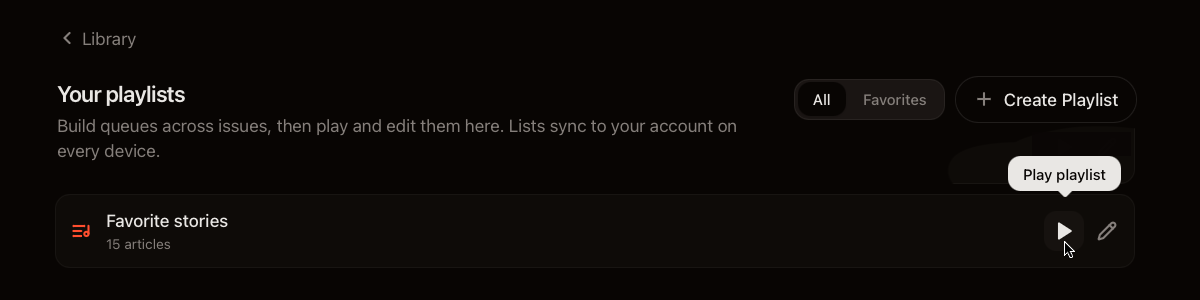
Create a playlist of issues or articles to listen to hands-free.
Additional Information about Fair Chase Pro
Big Game Records Live Lite
Big Game Records Live Lite is a built-in trophy search inside Fair Chase Pro. It is a great starting point. In Big Game Records Live Lite you can filter by:
- Category (species / award type)
- State and county
- Hunter or owner name
- Date range
From a Magazine Article
If a story mentions a trophy, you can open Trophies already filtered to that animal. Use Back to Article to return, or All Records to clear the filter.
Upgrade to Big Game Records Live 2.0
Lite lets you browse and search trophies inside Fair Chase Pro. Big Game Records Live 2.0 is the Club’s full records product — maps, analytics, and research tools that go far beyond a simple search table. On the Records page, click Upgrade to Big Game Records Live 2.0. If you already subscribe, you’ll see Open Big Game Records Live 2.0 instead, which takes you to the full Big Game Records Live 2.0 site.
Gifting an Article

Once logged in, you can send friends gift links for magazine articles — up to 1 article per month (each link opens one article). Your friend does not need to be a member or sign in to read or listen to that article. Share the link by email, text, or on social media to spread a story you love.
Sending a gift
- Sign in and open the article.
- Click Gift (or Gift this article).
- Click Copy when your link is ready.
- Share it — email, text message, or social media (see below).
- Each gift link lasts 30 days. You can create up to 1 gift link per calendar month. The Gift button shows how many you have left.
Share on social media
Gift links are meant to be shared. After you copy the link, post it where your friends already are:
- Facebook, Instagram, X (Twitter), LinkedIn, or similar apps
- Group chats and messaging apps
- Email or a personal note
When you paste the link into most social apps, a preview card usually appears with the article title and image — so people can see what you’re sharing before they tap.
A little sharing goes a long way. Sending a great Fair Chase story is one of the easiest ways to introduce someone to the Club. If you have gift links left this month, use them.
Adding Fair Chase Pro on Mobile (like an app)
You can add the Fair Chase icon to your phone or tablet so it opens more like an app. The installable experience is Fair Chase Audio. Open Listen first (fairchase.org/listen), then follow the steps for your device. On the Listen page you may also see Install App or Add to Home Screen. Those do the same thing when your browser offers them.
iPhone or iPad (Safari)
- Open Safari (not Chrome or another browser — Apple only allows this from Safari).
- Go to fairchase.org/listen, or open fairchase.org and tap Listen.
- Tap the Share button (the square with an arrow pointing up).
- Scroll the share sheet and tap Add to Home Screen.
- Tap Add. You’ll find a Fair Chase icon on your Home Screen.
Android (Chrome)
- Open Chrome.
- Go to fairchase.org/listen, or open fairchase.org and tap Listen.
- Tap the menu (⋮, three dots).
- Tap Install app or Add to Home screen (the exact wording depends on your phone).
- Confirm. You’ll find Fair Chase on your home screen or in your app drawer.
After that, tap the icon anytime to open listening without hunting through bookmarks. You still sign in with your Club account the same way as on the website.